The magical world of flat foil

11x14Since launching Flat Foil Art Prints last week, we keep hearing the same question, “How does it work?”

When SHQ Customer Success Representative Chris was asked this question yesterday, he replied, “It’s magic!” He’s right. It’s so easy, it practically is magic.

Here’s what you do:
1. Create your design using one color only. Your swatch needs to be 40C/40M/20Y/100K.
2. Save as PDF/X-1a, per the StationeryHQ File Setup Guidelines.
3. Upload your file and wait for the magic to happen.

Here’s how it works:
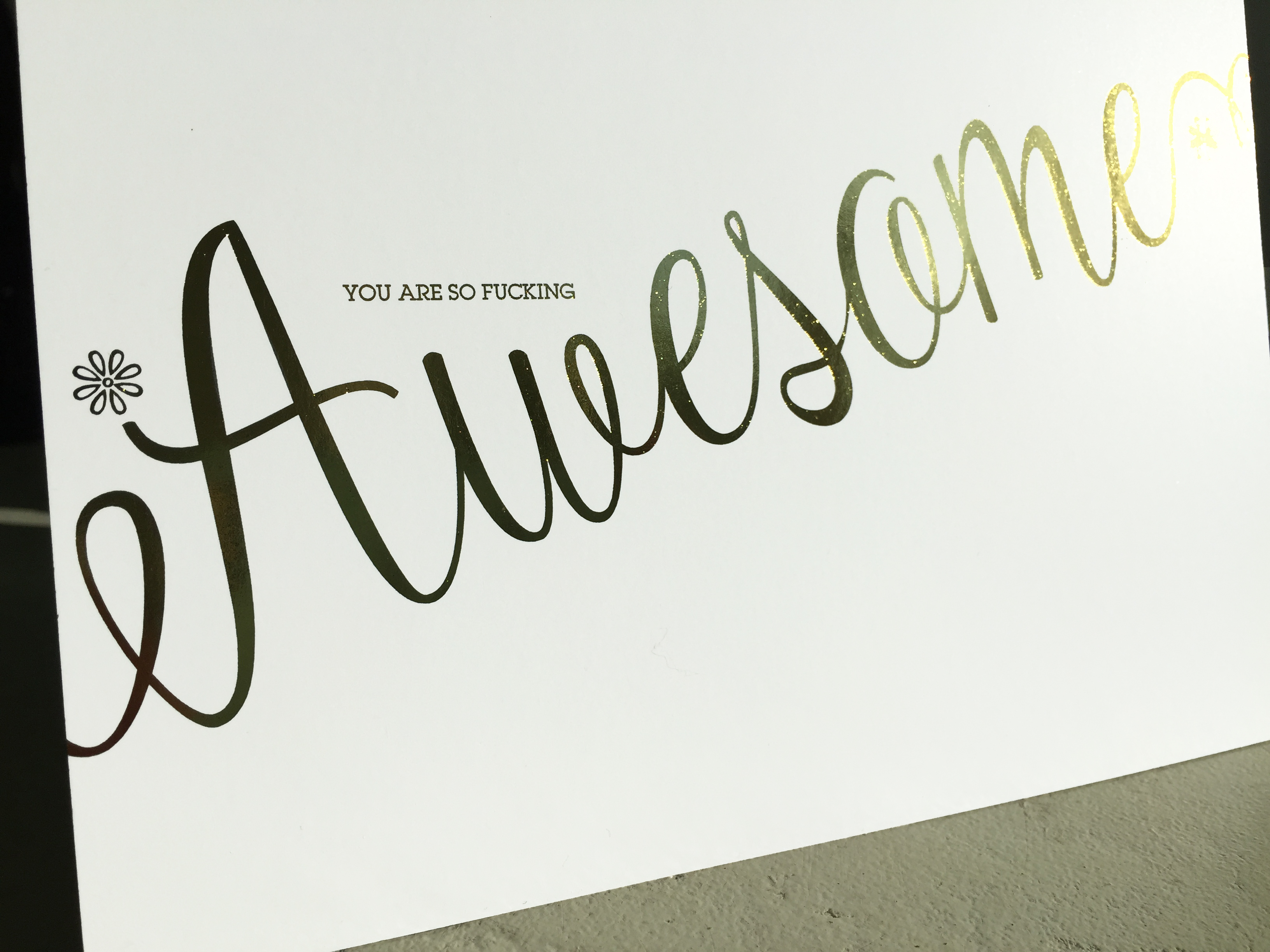
The rich black ink is printed on paper, then the printed sheet is run through a foil machine. The foil adheres to the ink and viola, flat foil fabulousness! You get the same shine as traditional foil stamping but not the slight depression you can feel on a foil stamped card.

And the best part? No die is required. That means faster production time and lower cost. And you can upload your files the same way you do for our other non-custom products.

The small type on this card is 7pt. ITC Lubalin Graph - looks great in foil

The small type on this 5″ x 7″ card is 7pt. ITC Lubalin Graph – looks great in foil

Large solids actually work really well and small type works too. I tested a .75 pt. stroke and the foil came out beautifully.

We’re calling them art prints but since they come in sets of 10, I’m using them as flat cards and 8″ x 10″ notebook covers. Yes, my friends are the types who prefer a bit of snark and a well-designed cuss word in their birthday/thank you cards 🙂

Foil makes a sassy notebook at a great price.

Foil makes a sassy notebook at a great price.


We are testing options for foil combined with digital color. We already know that it can be done but so far the results are inconsistent. Stay tuned for more options if flat foil sells as well as we are predicting!

I feel the need – the need for a bleed

You’ve designed a fabulous card and now you want StationeryHQ to print it! You saved a PDF/X-1a, just like the SHQ File Setup Guidelines say, but your file doesn’t fit the preview area. What happened? It could be that you didn’t account for bleed in the file.

Bleed is essential in print so the image goes all the way to the edge of the card. Without bleed, you’ll get white strips around the design that aren’t meant to be there. Even if your card has a white background, it can still be cut the wrong size if a bleed is not included.

There are two ways to add bleed to your file. This example uses Adobe Illustrator, but this process is universal with Adobe software.

Method 1: Add bleed to file by calling out a “Bleed”

The screen shot below shows how to set up your file from scratch using this method. When creating a new document, plug in the size of the final card size (we used 5 x 7) and then call out the bleed below. SHQ requires a .25 bleed to both width and height, so you’d add .125 on all four sides for a total of .25 to both dimensions.

bleed1


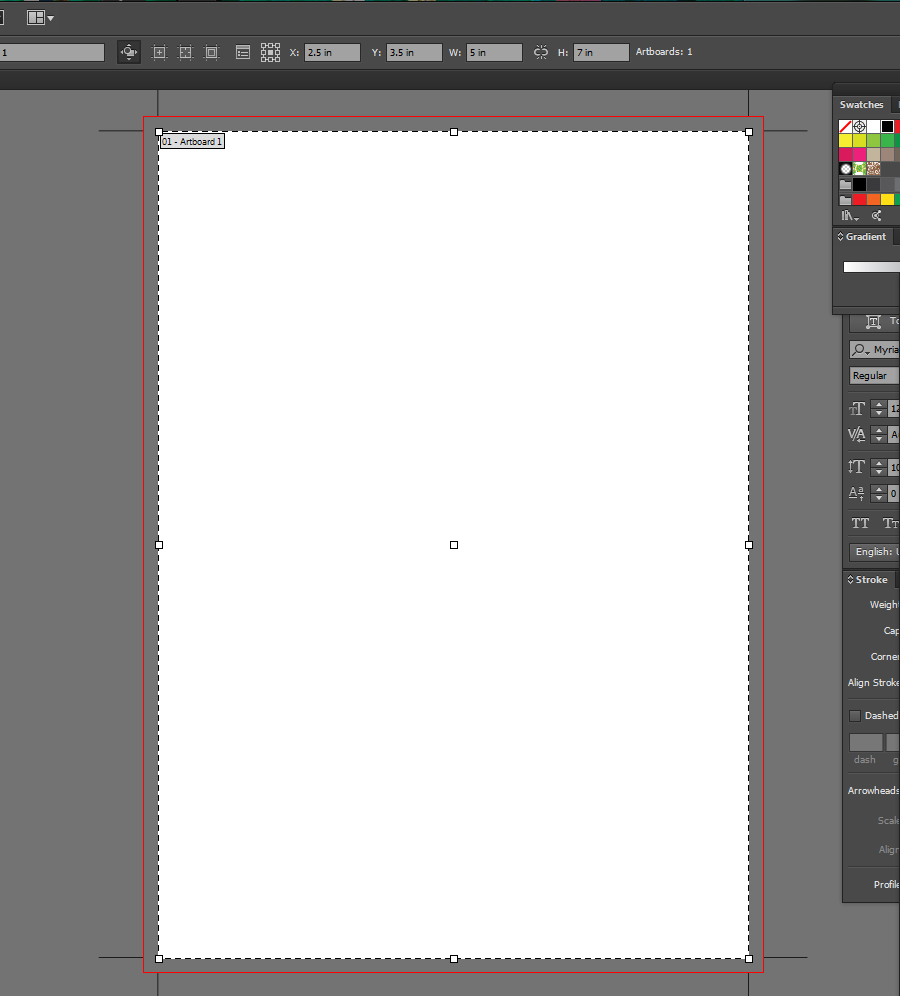
The screen shot below shows how the file you just created should look. The artboard is 5 x 7 and has a .125 bleed all the way around. Your design should go all the way to the red line around the 5 x 7 to cover the bleed area.

bleed1a

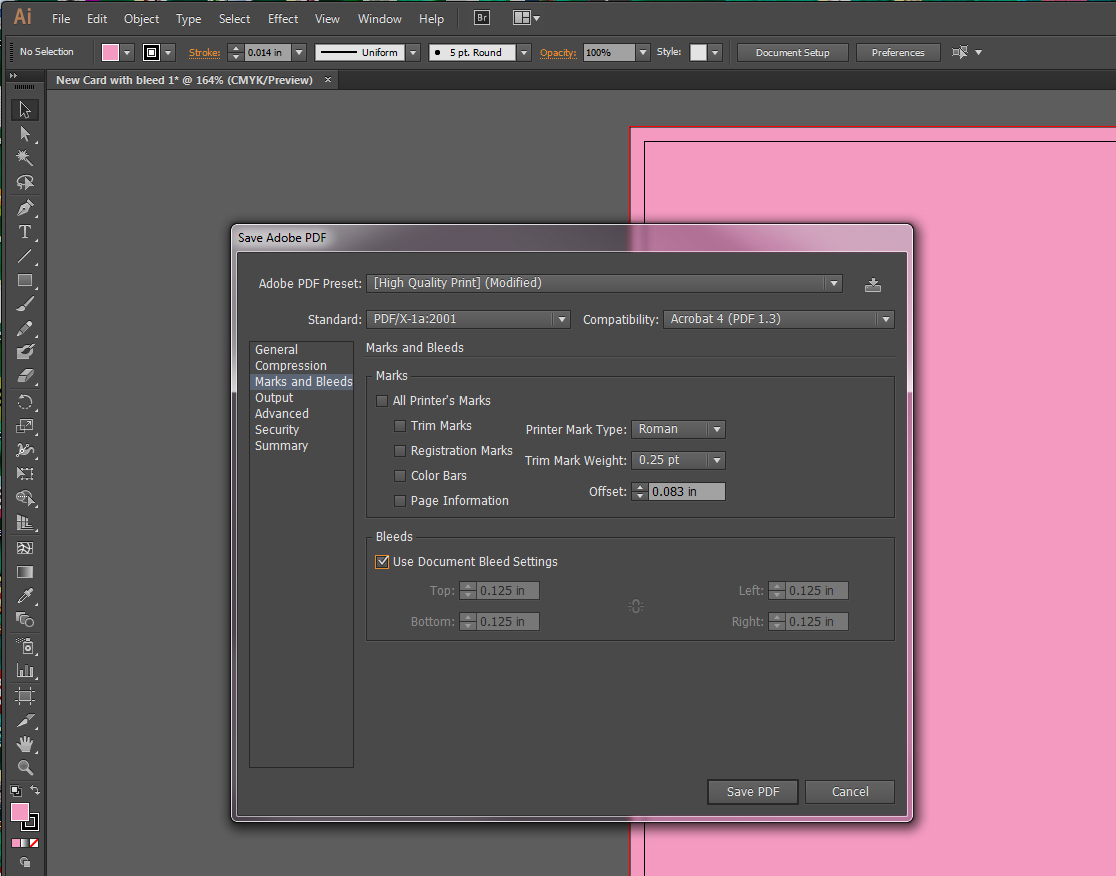
Then when you go to save your fab design, make sure to check the box “Use Document Bleed Settings” in the pop-up window.

bleed1b


Method 2: Add bleed to file by including bleed in the size of your artboard

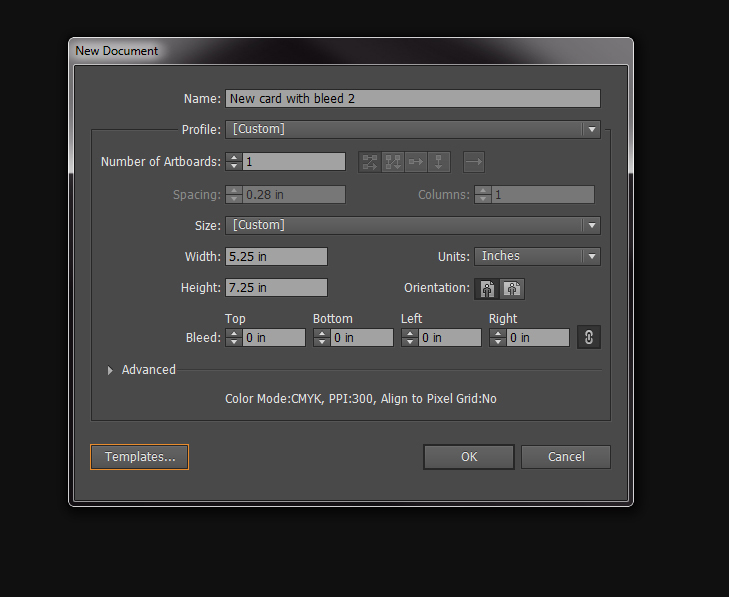
The screen shot below shows how to set up your file from scratch using this method. When creating a new document, plug in the size of the final card size including .25 for bleed. We made a 5 x 7 card, so the dimensions would be 5.25 x 7.25. Leave the Bleed section alone because the bleed will be added in to the size of your art board.

bleed2

The screen shot below shows how the file you just created should look. The art board is 5.25 x 7.25. Your design should go all the way to the edge of the art board to cover the bleed area.

bleed2a

Then when you go to save your fab design, do not check the box “Use Document Bleed Settings” in the pop-up window. You’ve already added the bleed to your final size, so you’re good to go.

bleed2b


And for good measure, don’t forget to outline fonts, change all Pantone colors to CMYK and save as a PDF/X-1a.

Now when you upload your 5 x 7 card to the website, it should fit perfectly into the preview!

Printing and Pancakes

Here’s the 411: Printing is flat like a pancake. If your pancake isn’t flat, it won’t cook right. The same goes for printing! To ensure your file prints correctly, you gotta turn it into a pancake by flattening any transparencies it may have. Transparent objects cause problems in digital printing, so it’s best to get rid of ’em before you even start.

Here’s what you do:
1. Open file in Adobe Illustrator
2. Select all (of the design)
3. Go to top menu bar and choose Objects, then scroll down to Flatten Transparency
4. A new window pops up. Choose High Resolution and click Ok to save

BOOM, pancake city!

Something to remember:
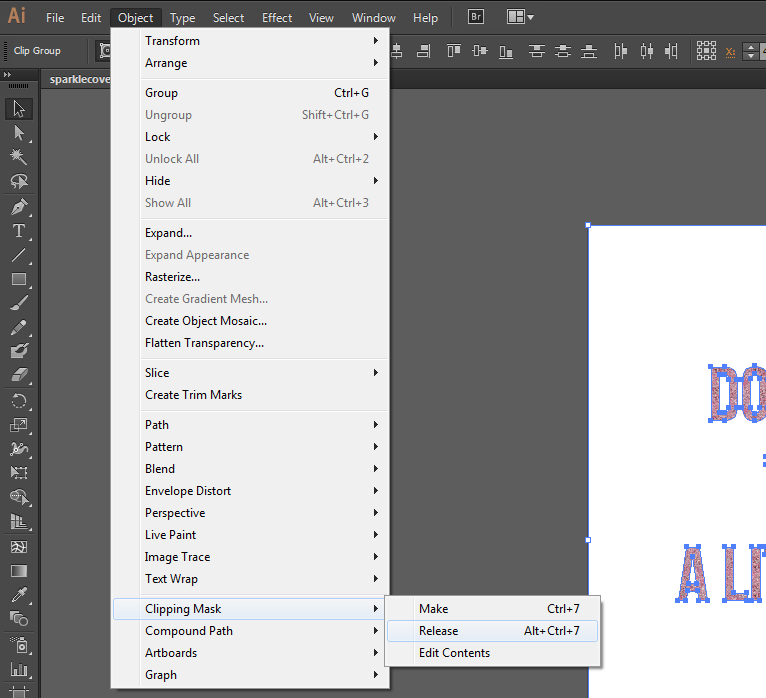
The artwork may be grouped together or may have clipping masks. If it’s all stuck together like a stack of old pancakes, you’ll need to ungroup them or release the clipping mask(s) to flatten it. There may be more than one clipping mask, so you may need to do this more than once.

You can also release clipping masks by:
* PC: right click > Release Clipping Mask
* Mac: select option+click >Release Clipping Mask

Here are a few screen shots of where to find the steps in the menu bar:

Select All:

selectall

Release Clipping Mask:

clipmask2

Flatten Transparency:

flattrans

Window that comes up to Flatten Transparency:

flatwindow

And you can always refer to the StationeryHQ File Setup Guidelines to see the rest of the important deets!

Shipping Cost Changes

Shipping NoticeHi Folks,

Just wanted to give you a little warning that some of the items you may order might have a slightly higher price tag for shipping. We don’t try to make money on shipping, but with our low wholesale prices we can’t afford to lose money on it. The first product that will be affected is binders. The weight that’s been calculated in the past does not account for any packing materials and we’re pretty sure we all want your beautiful products to arrive in one piece.

Sorry we can’t give you a specific number, it will vary depending on the item, quantity, and shipping address. It could be anywhere from 5% – 25%. We apologize for the inconvenience and hope you’ll forgive us cuz we really hate to disappoint you. -The SHQ Gang

Guest Post from a Kick Ass Designer

Hello, I’m Melinda Hartz McElroy, founder and creative director of billet-doux. I’ve been dreaming up couture stationery, invitations and wedding suites since 2005. I love telling personal stories through something tangible, tactile and visually stimulating. But, as I was realizing visions for couture clients, I started to wonder, “How do you stay relevant in the broader marketplace?”

So, I decided to do something completely radical – launch my first ready-to-order wedding collection. What a novel idea! Having previously only collaborated with clients on a custom project basis, I threw caution to the wind and designed suites for imaginary brides and grooms. I immersed myself in fresh and current wedding trends and created a comprehensive collection across a variety of style categories.

It’s easy to get caught up in each and every delightful trend happening in our industry right now, but I kept focused with my targeted list of on-trend must-haves. Mixed typography, handwritten fonts, hombre color effect, monograms, polka dots, lace, floral patterns, and rustic and rhinestone details are among them. But, what are my top obsessions these days? [queue music]
brooklyn detail_website

1) All Things Whimsy

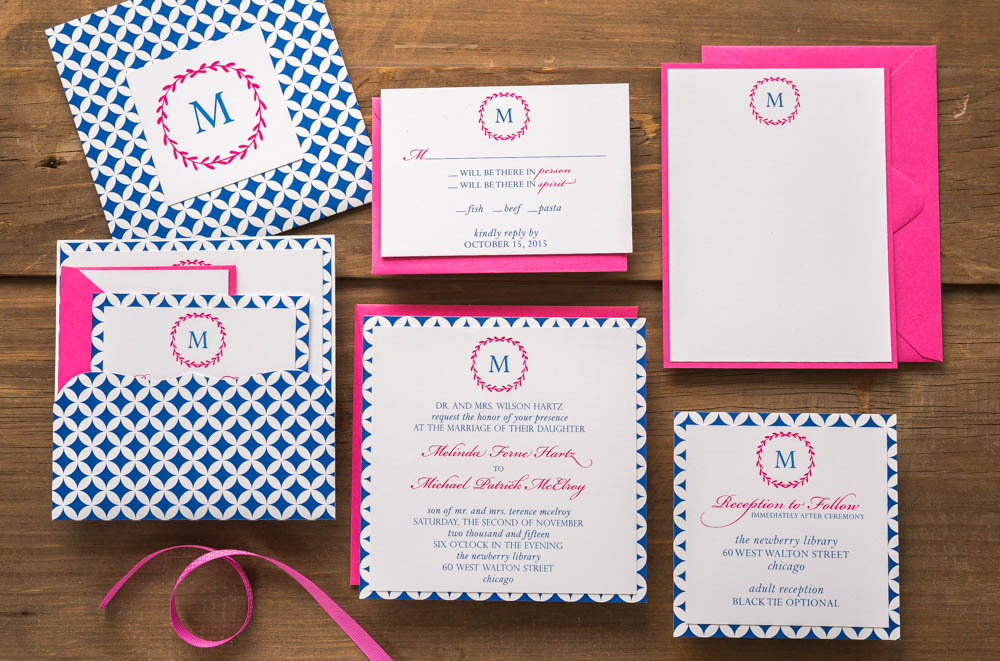
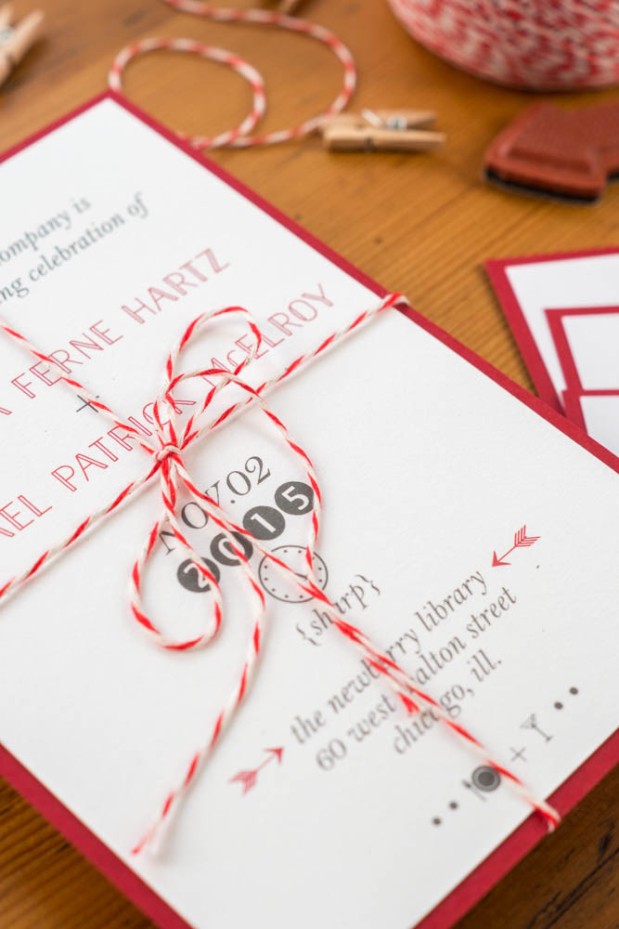
Whimsical elements will forever be at the tippy top of my list. At the core of who I am as a person and a designer, I love the element of surprise and the unexpected. The Brooklyn suite is a sharp detour from my typical design aesthetic; yet, it’s ironically my favorite of the collection. Brooklyn is modern yet whimsical, and perfect for the bride throwing an untraditional, offbeat wedding. [I heart that girl!]
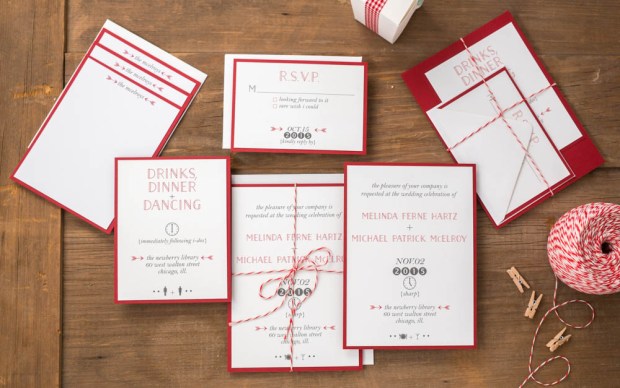
Brooklyn Wedding Suite – billet-doux Spring 2015 Bridal Collection  Printed by StationeryHQ

Brooklyn Wedding Suite – billet-doux Spring 2015 Bridal Collection
Printed by StationeryHQ 

2) Glam/Art Deco/Metallic

So, I squeezed three trends in one, but let’s face it – they all go together like peanut butter and jelly. Dare to kick up the glam by adding to something that’s already glamorous in its own right (that’s you, gorgeous bracket die-cut pocket enclosure!)? Selecting a rich metallic color palette and pairing it with mixed typography (another design mainstay) in simple colors creates an added layer of formality. But it’s the gorgeous glam rhinestone embellishment that transports guests of this Gatsby suite back to the Art Deco era.
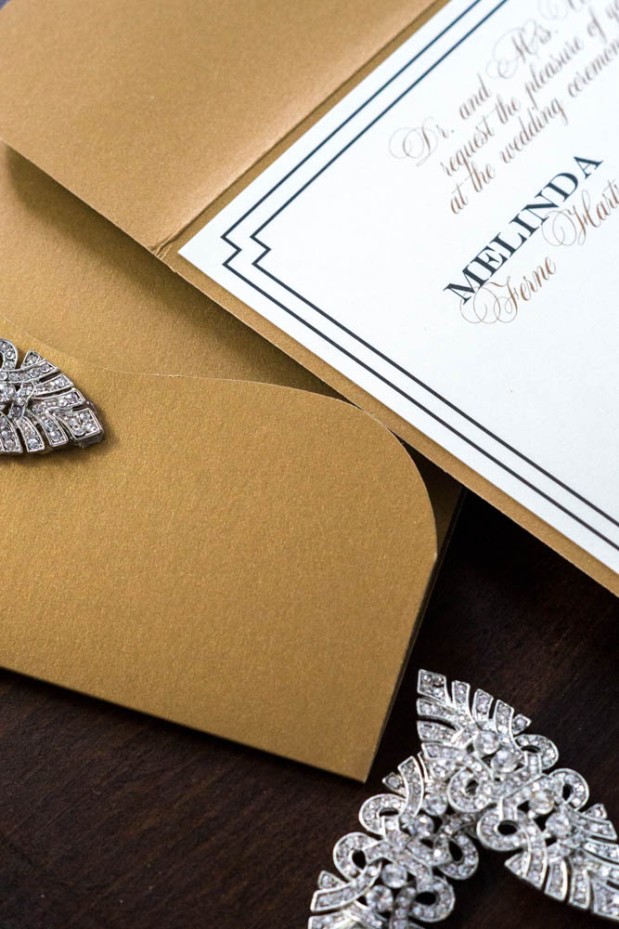
gatsby details_website

Gatsby Wedding Suite – billet-doux Spring 2015 Bridal Collection Printed by StationeryHQ
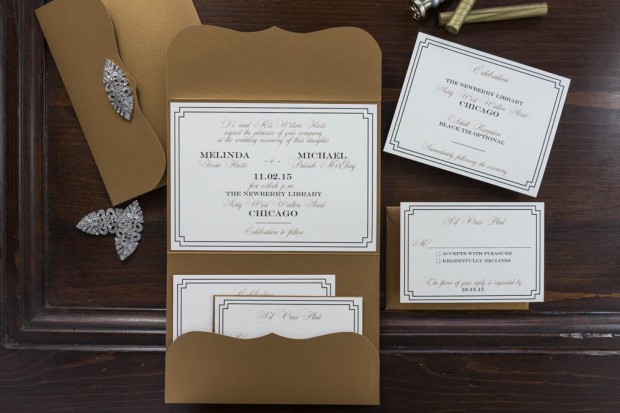
gatsby collection_website

3) Dreamy Paper

I find leveraging beautiful paper to be an uber refreshing design tactic. I mean, why reinvent the wheel with every card? Let thoughtful typography or custom monograms punctuate a suite, and rely on fine papers and gorgeous prints to take the lead in setting the tone. Together or on its own, printing on dreamy double thick paper can easily add a lot of impact and take your design to a whole other level. (Thank you, StationeryHQ!)
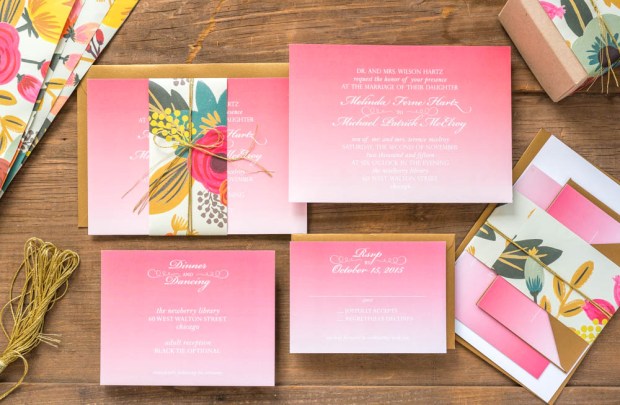
Petal Wedding Suite – billet-doux Spring 2015 Bridal Collection Printed by StationeryHQ

Juliet Wedding Suite – billet-doux Spring 2015 Bridal Collection Printed by StationeryHQ on double thick card stock; Rifle Paper Co. floral bellyband
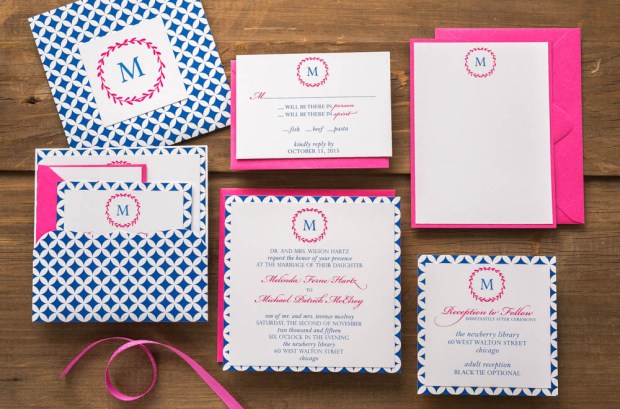
petal collection_website

Petal Wedding Suite – billet-doux Spring 2015 Bridal Collection Printed by StationeryHQ

Enjoy my portfolio and billet-doux’s complete 2015 Spring collection at www.couturestationery.com. Keep in touch on Facebook at www.facebook.com/billetdouxinvitations or at melinda@couturestationery.com.

melinda headhsotAbout Melinda McElroy

Melinda Hartz McElroy is founder and creative director of billet-doux. From fêtes to gratitude, billet-doux has been spicing up mailboxes with one-of-a-kind cards since 2005. Melinda is the former National Marketing Director of a multinational billion-dollar accounting and consulting firm. Melinda oversaw marketing and advertising campaigns for 42 offices across the United States.

By pairing clients’ individual style with billet-doux’s unique brand of creativity, Melinda dreams up pieces that even make wallflowers bloom. Whether creating something couture from scratch or selecting from readymade collections, all items are fully customizable without limitations. billet-doux’s service offerings include wedding suites, social and business stationery, party and corporate event invitations, event details, baby announcements and holiday cards.

CMYK – The More You Know

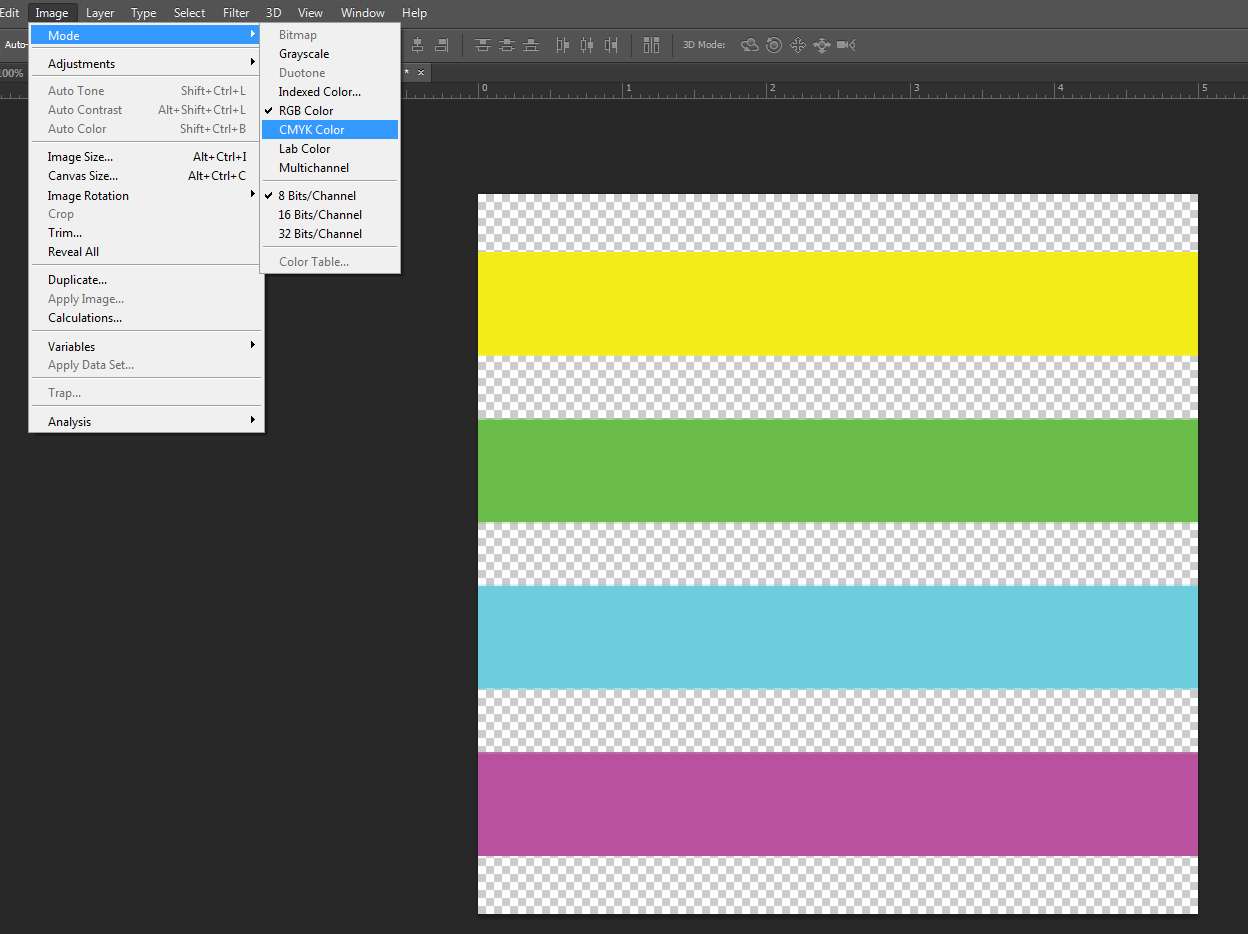
Around these parts, we like four colors. Not three and certainly not one. EW. Stationery HQ files should be set up with CMYK, not RGB or Pantone/PMS colors.

To make it easy, we made a visual guide to show you where to convert colors using three different Adobe programs.

InDesign:

color_ID

Illustrator:

color_AI

Photoshop:

color_PS

When in doubt about how to set up your files, please check out our File Setup Guidelines.

 Note: We’re using the Adobe Creative Cloud version of these programs, so they might look slightly different than yours. 

100% K is your friend

Your super fab design is done and you’re ready to save a file to upload to Stationery HQ. You save your files according to the SHQ File Setup Guidelines and when you go back to check your PDF, your 100% black (K- 100) text magically morphed into a black build (CMYK). WTH?

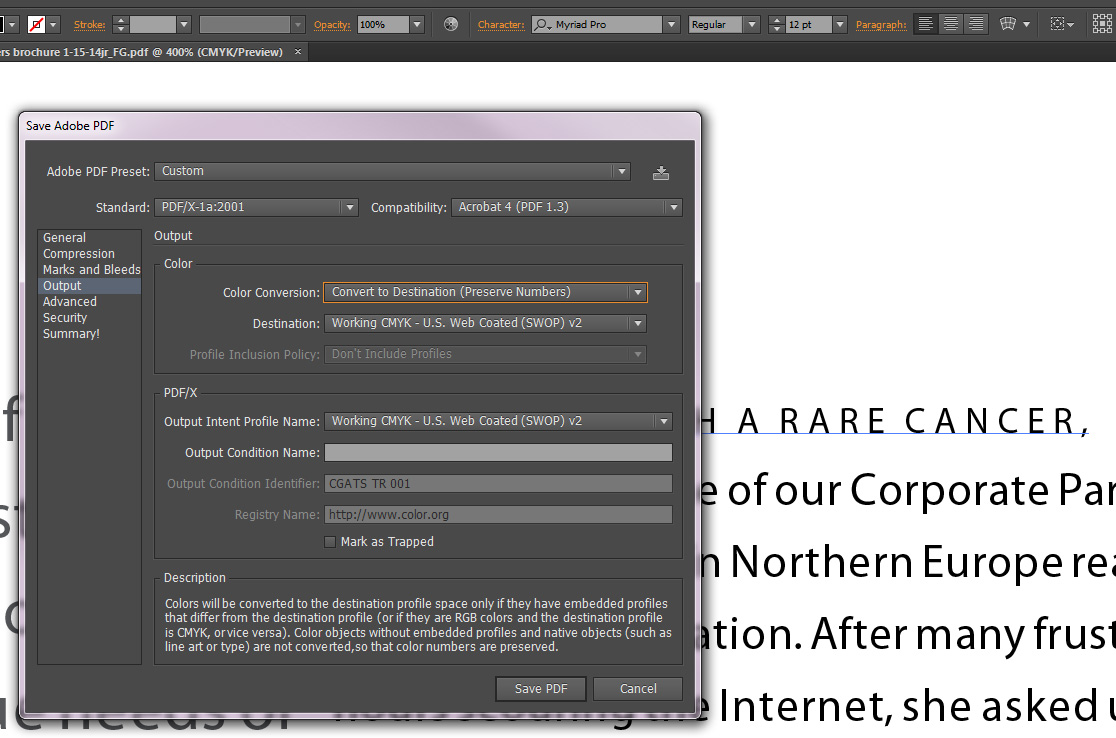
To make sure the colors you chose stay the same, save your Color Conversion settings the same way we did in the screen shot below. Under the Output tab, choose Color Conversion > Convert to Destination (Preserve Numbers). Then make sure your file is CMYK and not RGB. This will keep your colors in check without changing them. Mind blown!

save_preserve_numbers


Feelin the love

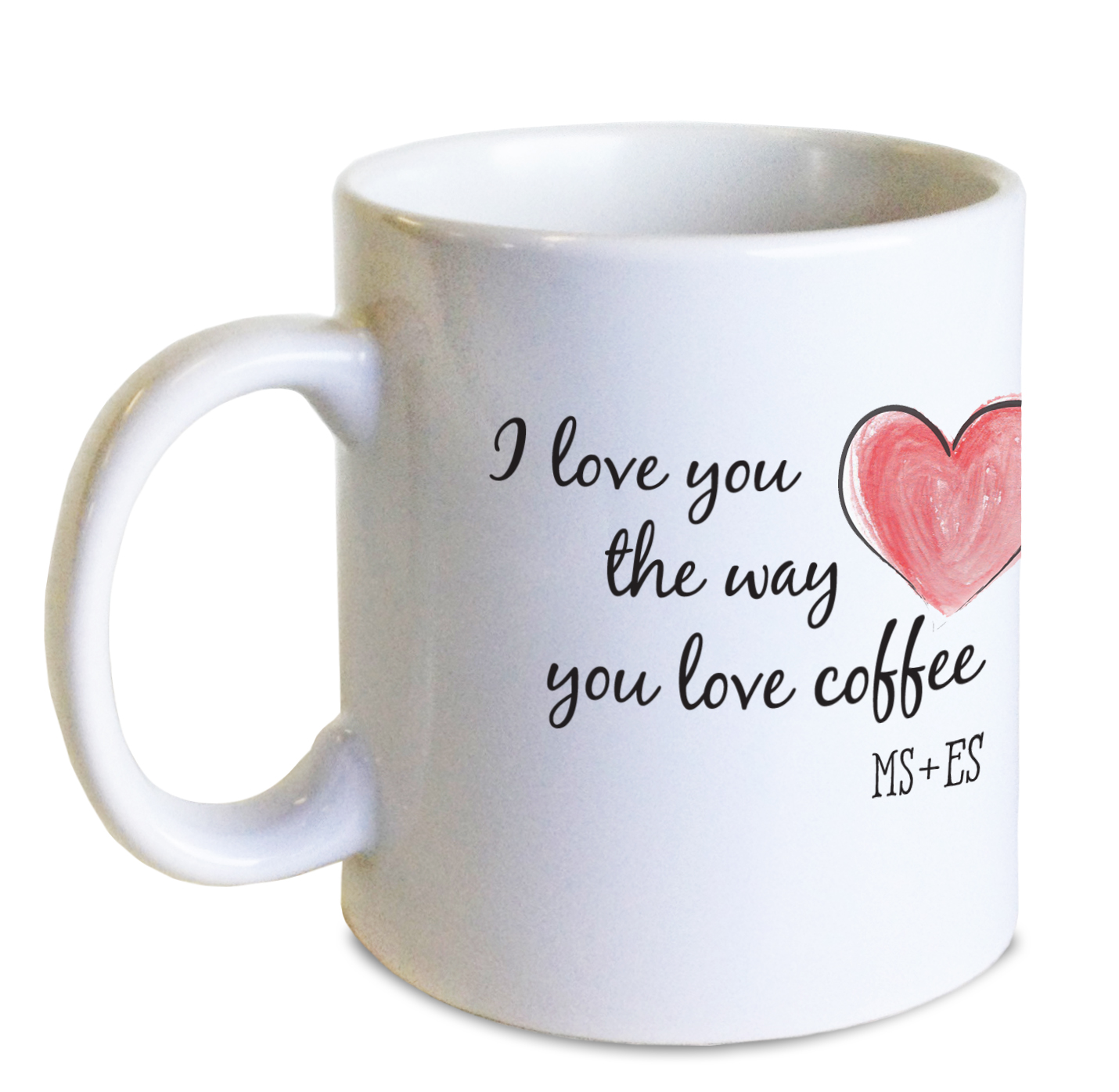
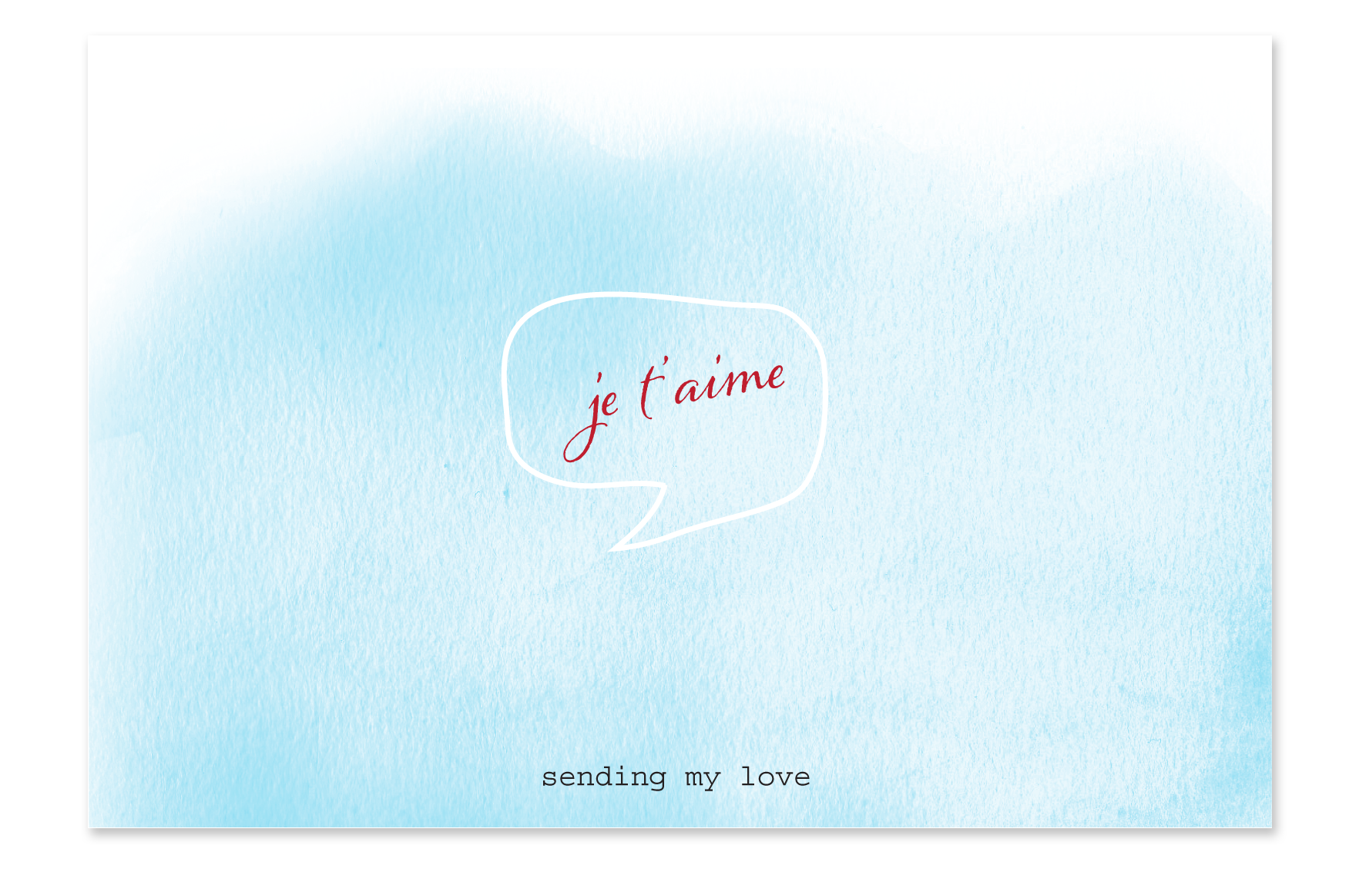
Hi Peeps, We all took a big deep breath after the crazy Christmas and Hanukkah rush. Overall things went pretty well and we’ve quickly moved on to what’s next. Valentine’s Day is just a month away, and since mugs were a HUGE seller in November and December, we’re thinking they are a great gift for Valentine’s Day too. ValentineMugAnd who doesn’t love a sweet card from someone special?

It’s not too late to order gifts and stationery and get them before Feb. 14th. Click here for gifts and here for stationery.card

Double Thick Maximum ink density

With the holiday season we have seen some amazing designs and we have come across some challenges in production. One thing I wanted to mention was maximum ink density on double thick cards. Double thick, especially on savoy uses a perfing, folding, and gluing machine which puts additional stress on quality. To achieve this we need ink density kept to a maximum of 230%. This is extremely important with any colors with heavy magenta like deep blues and purples.


Happy Designing and thanks for listening!

Let it Shine: New Info About Foil

Attention Designers Who Love Shiny Stuff: We’ve discovered that our foils like some papers better than others. All of our standard foil options like the house stock, 120lb uncoated. They don’t love Savoy Cotton as much so we had to find another brand of foil to work with and we are carrying Gold, Silver and Copper right now. This series does not carry as many colors. If you want another fabulous color on cotton, please contact us about running a custom project for you.

We also have a very nice example of how to optimize your artwork for foil from one of our awesome customers, Paper & Honey.

Original Artwork

Original Artwork

Revised Artwork

Revised Artwork

unnamed-1